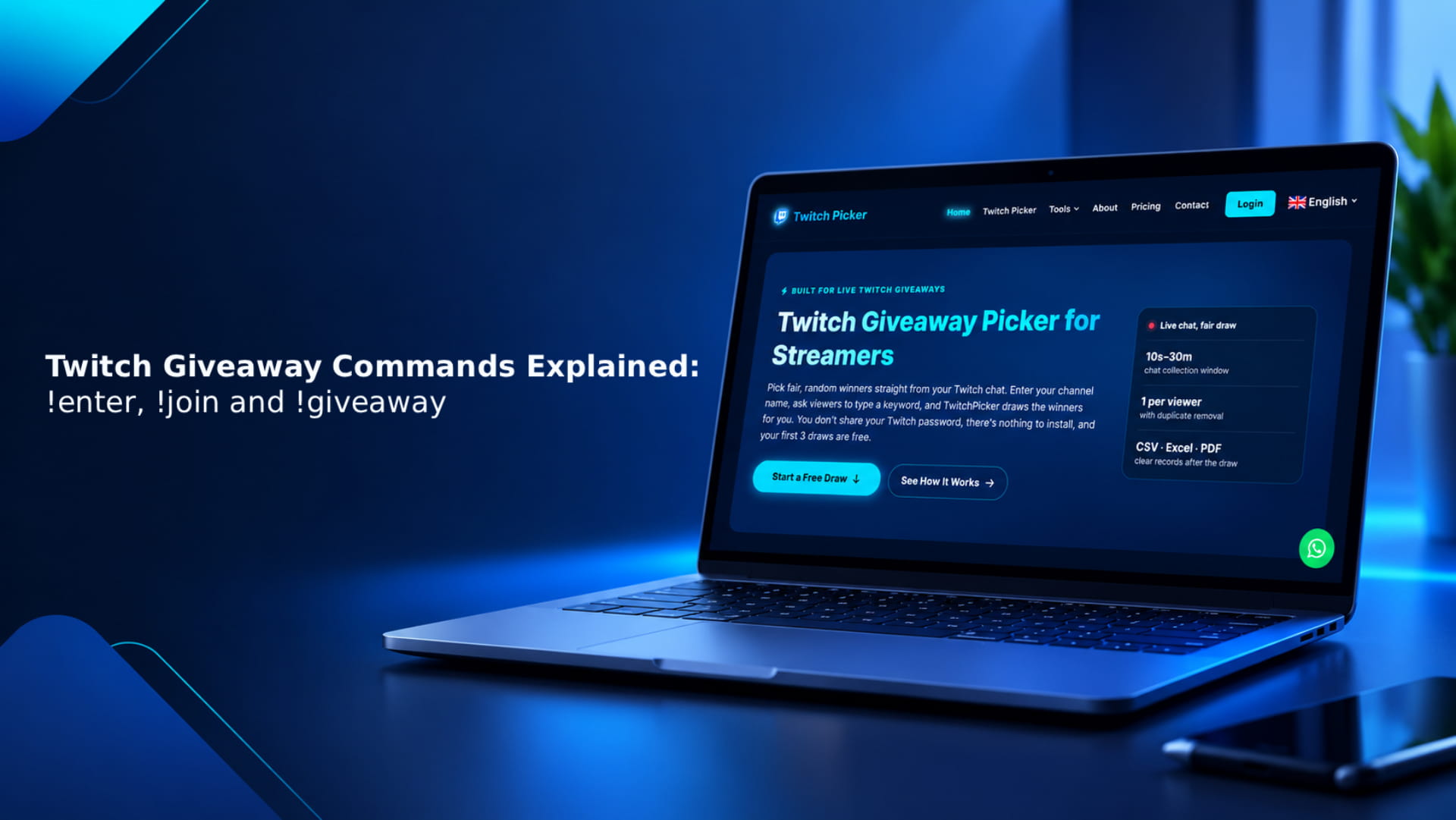
Twitch Giveaway Commands Explained: !enter, !join and !giveaway
Type !enter in the wrong chat and nothing happens. Type !join expecting a prize and you have entered a raffle for loyalty points instead. Type !giveaway expecting to enter and all you get is a status message telling you a giveaway is running. None of those commands is broken. They just belong to different bots, and they do different jobs.
That is the whole problem with Twitch giveaway commands: there is no single Twitch command for giveaways. Twitch itself does not run your giveaway. A bot in your chat does, and every bot has its own commands, its own entry method, and its own idea of what a prize is. Learn the command for the bot you actually use, and entries work first time. Guess, and your viewers type into the void while the draw happens without them.
This guide covers the three commands streamers and viewers meet most often — !enter, !join and !giveaway — plus !ticket, !raffle and !winner, bot by bot, so you know exactly what each one does. It ends with the simpler option the plan for this site keeps coming back to: forget the bot's fixed command entirely and run your giveaway on any keyword you choose.
TwitchPicker is the Twitch Giveaway Picker for Streamers. Pick fair, random winners straight from your Twitch chat. Enter your channel name, ask viewers to type a keyword, and TwitchPicker draws the winners for you. You don't share your Twitch password, there's nothing to install, and your first 3 draws are free.
What a Twitch Giveaway Command Actually Is
A giveaway command is a short message a viewer types in chat — almost always starting with an exclamation mark — that a bot recognises as an entry, a check, or a control action. The bot watches chat, spots the command, and does something with it: adds the viewer to an entry list, sells them a ticket, checks a giveaway's status, or picks a winner.
There are three kinds, and confusing them is where most giveaways go wrong.
Entry commands are typed by viewers to join. !enter, !join, !ticket and !raffle are entry commands in the bots that use them — but each one only works in the bot it belongs to, and only while that bot's giveaway is running.
Status commands are typed by viewers to find out what is happening. !giveaway in StreamElements is the classic example: it tells you a giveaway is running and gives you the link. It does not enter you. Typing it ten times enters you zero times.
Control commands are typed by the streamer or a moderator to run the giveaway. Nightbot's !winner and StreamElements' !raffle are control commands. A viewer typing them does nothing, and in most setups the bot will ignore them or tell the viewer they do not have permission.
Before you use any command, work out which of the three kinds it is, and which bot is listening for it. A command is only a command inside its own bot. Outside it, it is just a chat message.
!enter: The Command Most Viewers Expect
!enter is the command viewers reach for first, and for good reason: it is the most widely used entry command on Twitch, and it reads like plain English. In StreamElements giveaways, viewers can enter with !enter — it is listed alongside !ticket as one of the two chat entry methods for a giveaway created in the StreamElements dashboard under Loyalty, then Giveaways.
That is the catch, and it is worth stating plainly. !enter works when the streamer is running a StreamElements giveaway. It does not work as a universal Twitch command. If the streamer is using Nightbot, Streamlabs, or a chat picker instead, typing !enter does nothing at all, however many times chat repeats it.
As a streamer, if you tell your viewers to type !enter, say which tool is collecting the entries in the same breath. "Type !enter — StreamElements is collecting entries" is a complete instruction. "Type !enter" on its own is a guess, and new viewers have no way to know whether the guess is right until the draw happens without them.
As a viewer, if you type !enter and nothing happens — no bot reply, no confirmation, no entry count going up — do not spam it. Check whether a giveaway is actually running, check the streamer's rules message for the entry method, and check whether the bot that should be replying is even in chat. Spamming the command does not make it work, and in bots that track spam it can get your entries removed.
!join: For Raffles, Not for Prizes
!join looks like an entry command, and it is one — but not for a giveaway. In StreamElements, !join is the entry command for the Raffle module, and a raffle is a different thing from a giveaway.
Here is how the Raffle module works. A moderator starts a raffle with !raffle for multiple winners or !sraffle for a single winner, optionally with a points amount and a duration in seconds — !raffle 100 60 starts a raffle for 100 points lasting 60 seconds. Viewers join by typing !join. Joining is free. The prize is the points themselves: the pot is split between the winners in a multi-winner raffle, or goes in full to the single winner of a !sraffle. The StreamElements documentation is explicit on this point: a raffle is not to be confused with the Giveaways module, where entry is by !ticket or !enter and the prize is something the streamer defines.
So if you type !join during a prize giveaway, you have not entered the giveaway. You have entered a raffle if one happens to be running, and if none is running, you have done nothing. And if you are a streamer who announces "type !join to enter the giveaway" while your giveaway tool is waiting for !enter, your viewers will join a raffle that does not exist and miss a giveaway that does.
Use !join when you want to give away points — a quick, free, low-stakes interaction in the middle of a stream, for example to pick someone for a viewer game or to hand out a small points prize. Do not use it when the prize is a game key, a gift card, or anything physical. For a prize, you want a giveaway, and a giveaway wants its own entry command.
!giveaway: A Status Check, Not an Entry
!giveaway is the most misunderstood command on this list, because it sounds like the one command that should enter you into a giveaway. In StreamElements, it does not.
In StreamElements, !giveaway lets anyone in chat check the status of the currently active giveaway. If a giveaway is running, the bot replies with its name and a direct link for viewers to enter. If no giveaway is running, the command has nothing to report. It requires the Giveaways module, and it only works while a giveaway is active. Entry itself happens with !ticket or !enter, or on the giveaway page the status reply links to.
Streamlabs has its own !giveaway commands, and they work differently again — which is exactly why the command confuses people. In Streamlabs Chatbot, the desktop chatbot, !giveaway start begins a giveaway, !giveaway close closes entries, and !giveaway winner picks a winner at random. Those are control commands for the streamer, not entry commands for viewers, and the entry keyword in a Streamlabs Chatbot giveaway is whatever the streamer sets when they start it — !woo in the documentation's example, for instance. A viewer typing !giveaway in a Streamlabs chat is not entering anything.
The practical rule is simple. Never tell your viewers to "type !giveaway to enter". Tell them what to type to enter, and keep !giveaway for what it is good at: letting a viewer who joins late check whether a giveaway is running and where to enter it. Put that in your rules message too — "type !giveaway to check the giveaway, type !enter to join it" — and the confusion disappears.
!ticket: Buying an Entry With Loyalty Points
!ticket is the StreamElements giveaway entry command, and it works differently from the others because it spends something. In a StreamElements giveaway, viewers buy tickets with loyalty points: type !ticket to buy one ticket, !ticket 5 to buy five, or !ticket max to buy as many as their points allow, up to the per-user maximum the streamer set. Every ticket has an equal chance of winning, and the giveaway is created and drawn from the StreamElements dashboard, under Loyalty, then Giveaways, where the streamer sets the title, description, ticket cost and limits.
Two details matter. First, the ticket cost is set by the streamer, and a cost of zero makes entry free — so !ticket is not automatically a paid entry, even though it uses the points system. Second, !ticket only works when a giveaway is active. Type it when nothing is running and the command fails, silently or with an error, depending on how the bot is configured.
For a streamer, tickets are a loyalty tool: they reward the viewers who have been watching, chatting and earning points, and they give regulars a reason to keep coming back. For a viewer, they are a reminder to check the cost before you spend. A giveaway that costs points is not a free giveaway, and if the streamer has not said the ticket price in the rules, ask before you type !ticket max and spend a week's worth of points on a prize you did not want.
If you want entry to be free and equal for everyone in chat — including the viewer who joined two minutes ago and has no points at all — a ticket system is the wrong tool for that giveaway. Use a keyword draw instead, where one viewer means one entry and nobody's balance matters.
!raffle and !sraffle: The Moderator's Commands
!raffle and !sraffle belong to the streamer and the moderators, not to the viewers. In StreamElements, a moderator starts a multi-winner raffle with !raffle, optionally with a points amount and a duration in seconds, and a single-winner raffle with !sraffle. The bot announces the raffle in chat, viewers enter with !join, and the bot draws the winners when the time runs out. !cancelraffle cancels a raffle that is running.
Streamlabs Cloudbot uses !raffle differently, and this is where streamers who switch bots get caught out. In Streamlabs Cloudbot, a custom giveaway's viewers enter by typing !raffle in chat — it is the entry command, not the start command. The giveaway itself is created in the Cloudbot dashboard, under Giveaways, and started from there with the Start Giveaway button; the entry command is customisable in Giveaway Settings, so a streamer can change it, but !raffle is the default viewers will meet.
Same word, opposite jobs, depending on the bot. In StreamElements it starts a points raffle. In Streamlabs Cloudbot it enters a prize giveaway. Neither meaning is wrong. Both are useless if you apply the wrong one. If you have just switched bots, re-read the commands for the bot you are using now, and update the rules message, the overlay, and any chat command that mentions the old entry method before your next giveaway — not during it.
Nightbot: !winner and the Keyword Giveaway
Nightbot does giveaways differently from StreamElements and Streamlabs, and its commands show it. Nightbot has no !enter and no !ticket. Its giveaway system offers the streamer three types to choose from in the Nightbot dashboard: Active User, Keyword, and Random Number.
Active User picks between the viewers who have recently been active in chat. Keyword asks viewers to enter a set word — the streamer chooses the word, and viewers type it to enter. Random Number asks viewers to guess a number, and Nightbot picks a random number to decide the winner. The streamer can set who is eligible, give subscribers extra luck, and set a timeout so a previous winner cannot win again straight away.
The command viewers actually meet is !winner. It is a moderator command: it picks a random active user in chat as the winner, for a spontaneous moment — "someone in chat right now wins this" — even when no formal giveaway has been set up. That makes it useful for a quick, unplanned prize, and useless as an entry method. A viewer typing !winner is not entering anything; only a moderator can run it, and it draws immediately.
The keyword type is the one that matters for this guide, because it is the closest Nightbot comes to a normal giveaway. The streamer sets a word, announces it, and viewers type it. Nightbot can also be set to automatically remove people who spam the keyword from the giveaway, which is the feature that keeps a keyword draw fair when chat gets excited and starts repeating the word fifty times.
If you already use Nightbot for moderation and commands, its keyword giveaway is one more thing it can do in the chat you already have. If you want a draw with filters, a visible entry count, a winner certificate and an export of the entries, a keyword giveaway in Nightbot will not give you those — and that is the point at which a dedicated chat picker earns its place.
The Commands Side by Side
| Command | Bot | Who types it | What it does |
|---|---|---|---|
| !enter | StreamElements | Viewer | Enters a StreamElements giveaway |
| !ticket | StreamElements | Viewer | Buys giveaway tickets with loyalty points |
| !giveaway | StreamElements | Viewer | Checks the active giveaway and gives the entry link |
| !join | StreamElements | Viewer | Enters a points raffle, free — the prize is points |
| !raffle / !sraffle | StreamElements | Moderator | Starts a multi-winner or single-winner points raffle |
| !winner | Nightbot | Moderator | Picks a random active viewer as the winner |
| Keyword of your choice | Nightbot | Viewer | Enters a Nightbot keyword giveaway |
| !raffle | Streamlabs Cloudbot | Viewer | Enters a Cloudbot custom giveaway (default, changeable) |
| !giveaway start / close / winner | Streamlabs Chatbot | Streamer | Starts, closes and draws a desktop Chatbot giveaway |
Keep this table open the first few times you run a giveaway with a new bot. The commands are short, and short things are easy to misremember — especially !join and !enter, and especially !raffle, which changes jobs between bots.
The Simpler Option: Use Any Keyword You Like
Every command above has the same limitation: the bot decides what the entry word is, and you have to learn it, teach it to your viewers, and hope nobody types the wrong one. There is a simpler way to run a giveaway, and it is the method the step-by-step guide on this site is built around: pick any keyword you like, and let a chat picker listen for it.
With TwitchPicker, there is no fixed entry command to memorise. Enter your channel name, set the keyword, and set a listen time from 10 seconds up to 2 minutes on the free plan, or up to 24 hours on the Creator and Growth plans. Viewers type the keyword in chat — !win, a word from your game, an inside joke from your community, whatever fits the stream — and TwitchPicker collects the entries, limits each viewer to one entry, and draws the winners live with a cryptographically secure random draw. You can draw multiple winners in one draw, see engagement stats as entries come in, and keep the winner certificate and the CSV, Excel or PDF export as your record.
The filters are what make a free keyword better than a fixed command. Use the include-words filter to set the exact keyword entries must contain, exclude words you do not want counted, require a minimum message length so a bare keyword typed by accident does not count if you do not want it to, and ask viewers to tag a friend as part of their entry when you want the giveaway to reach new people. Say all of that in the rules before entries open, not halfway through.
The full step-by-step process is in the guide to how to do a giveaway on Twitch, and if you want to see who has to type what before you choose, the guide to how to pick a winner from Twitch chat walks through the draw itself.
How to Choose a Keyword Bots Won't Spam
The plan for this post asks for this section specifically, because the keyword is where a free giveaway is won or lost. A good keyword is short, easy to spell, hard to type by accident, and tied to your stream. A bad keyword is one your chat already types all day, or one a spam bot can guess.
Start with the words to avoid. Do not use gg, lol, hi, yes, hype, or any word your chat types constantly. Half your chat will enter without meaning to, your entry list will be full of people who were not trying to join, and the winner may be someone who did not want the prize. Do not use a common emote name, a word from a bot's own replies, or a word that appears in your stream title — every time the title is mentioned, someone enters by accident.
Do not use long phrases, words with numbers and symbols mixed in, or words that are hard to spell on a phone keyboard. Mobile viewers type slowly, and a keyword they have to look up twice is a keyword that excludes them. One word, in plain letters, is the target. Two words at most, and only if the second word makes the first one unmistakable.
Tie the keyword to the prize or the moment. A game key for the game you are playing, a word from the game, a word from an inside joke, or the name of the prize itself — !key, !gift, !drop, or a word your regulars already associate with your stream. A keyword tied to the stream is easy to remember, hard for a spam bot to guess, and unlikely to appear in normal chat by accident.
Test it before you announce it. Type the keyword in your own chat and see whether any bot replies to it, whether it triggers another command, and whether it is already a command in a bot you use. If it collides with a bot command, pick another word — a keyword that also triggers a bot reply will flood your chat with responses and confuse everyone watching.
Announce the keyword the way you would announce a password: out loud, on your overlay, and in a pinned chat message, repeated a few times. New viewers join mid-stream and should not have to scroll back to work out how to enter. Say the closing time in the same announcement, and say it again when the window is about to close.
Finally, set the filters before you open entries. One entry per viewer, so spamming the keyword does not improve anyone's odds. Exclude words that would let a longer message count twice, or that you know spam bots use. A minimum message length if you want entries to be more than a bare word. And a clear window — up to 2 minutes free or up to 24 hours on a paid plan with TwitchPicker, long enough for a mobile viewer to type, short enough that the draw stays an event rather than a background hum.
If you are choosing between tools for the draw, the comparison of the best Twitch giveaway tools will help you pick the right one for your stream, and the Twitch giveaway ideas post has prizes worth building a keyword around.
For Viewers: How to Enter Without Missing Out
If you are a viewer rather than a streamer, the rules are simpler, and they are worth learning once so you never miss a giveaway again.
First, read the streamer's rules message before you type anything. It should tell you the entry command or keyword, the closing time, who can enter, and what the prize is. If there is no rules message, ask in chat — "what do I type to enter?" — before the window closes, not after.
Second, type exactly what the streamer said, once. One entry per viewer is the norm, and typing the command five times does not give you five entries. It gives you one entry and a reputation as a spammer, and in bots that track spam it can get your entry removed.
Third, if the command does nothing, stop and check the four usual reasons. No giveaway is running yet, or entries have already closed. You typed the wrong command for the bot that streamer uses — !join in a StreamElements giveaway, or !enter in a Nightbot chat. The entry costs loyalty points and you do not have enough, which is a !ticket problem, not a typing problem. Or the bot that should be listening is not in chat, because the streamer has not modded it — Streamlabs Cloudbot, for example, only works once the streamer has typed /mod streamlabs in their own chat.
Fourth, never pay to enter unless the streamer said so in the rules before you entered. A giveaway that asks you to subscribe, donate, or buy something to enter is not a free giveaway, and you should know the cost before you type, not after you have won. Keep entry free, and keep the prize claim in private messages — never post your address, your email, or a game key in public chat.
And if you win, reply quickly. Most streamers give the winner a short window to claim the prize in chat or by private message, and a winner who does not reply is a prize that goes to someone else. Stay in chat until the draw is done, and watch for your name.
Mistakes That Break a Giveaway Command
The first mistake is announcing a command without naming the bot. "Type !enter" is not an instruction until your viewers know StreamElements is collecting the entries. Name the bot, name the command, and put both on screen.
The second is using the same command for two jobs. If !enter is your giveaway entry and also a custom command in Nightbot that replies with your socials, every entry will trigger a bot reply, and your chat will drown in it. Check for collisions before you announce.
The third is assuming !giveaway enters you, or that !join enters you into a prize giveaway. Both assumptions are wrong in StreamElements, and both are common enough that you should spell them out in your rules: "type !enter to join, type !giveaway to check the giveaway, !join is for points raffles only."
The fourth is changing the command mid-giveaway. If you start with !enter and switch to a keyword halfway through because the bot is not working, the viewers who already entered with !enter are in one list and the viewers who typed the keyword are in another, and nobody can prove the draw was fair. If a command is not working, close the giveaway, say so on stream, and start again cleanly with the new method.
The fifth is forgetting the viewers who join late. A viewer who arrives two minutes into a five-minute window needs the keyword, the closing time, and the prize in one place — on the overlay, in a pinned message, or in a chat command of your own, such as !rules. If they have to scroll back through chat to find it, most of them will not bother, and your giveaway will be smaller than it should have been.
Start from TwitchPicker, enter your channel name, and try your first idea on your next stream. Your first 3 draws are free.
Frequently Asked Questions
There is no single Twitch giveaway command. Twitch itself does not run giveaways, so the command depends on the bot in chat: !enter and !ticket for StreamElements giveaways, a keyword of the streamer's choice for Nightbot, !raffle for Streamlabs Cloudbot custom giveaways, or any keyword you choose with a chat picker such as TwitchPicker. Always check the streamer's rules message for the exact command and the bot that uses it.
In StreamElements, !enter enters you into an active giveaway, alongside !ticket. It only works while a StreamElements giveaway is running, and it does nothing in a Nightbot, Streamlabs, or chat-picker giveaway. If you type it and nothing happens, the streamer is probably using a different tool, so check the rules message for the right entry method.
In StreamElements, !enter enters a giveaway for a prize the streamer defines, while !join enters a raffle, where joining is free and the prize is loyalty points. A moderator starts a raffle with !raffle or !sraffle, viewers join with !join, and the points pot is split between the winners. Typing !join during a prize giveaway does not enter you into that giveaway.
In StreamElements, !giveaway checks the status of the currently active giveaway and gives you its name and entry link. It does not enter you. In Streamlabs Chatbot, the desktop chatbot, !giveaway start, !giveaway close and !giveaway winner are control commands for the streamer. Never tell viewers to type !giveaway to enter — tell them the entry command instead.
Yes, with a chat picker such as TwitchPicker. Enter your channel name, set any keyword with the include-words filter, and set a listen time from 10 seconds up to 2 minutes on the free plan, or up to 24 hours on the Creator and Growth plans. Pick one short word in plain letters, tied to your stream or prize, and avoid words your chat already types all day, such as gg or lol. One entry per viewer applies, and you can add exclude words, a minimum message length, and a tag-a-friend requirement.