Best Twitch Giveaway Tools Compared
Finding the best Twitch giveaway tool is not about finding the tool with the longest feature list. It is about finding the one that fits how you actually stream. A streamer who runs a quick keyword drop in the middle of a game needs something different from a streamer who plans a week-long campaign to grow an email list, and both of them need something different from a streamer who already runs a chatbot and just wants giveaways inside it.
This comparison looks at the five tools streamers actually ask about: TwitchPicker, StreamElements, Streamlabs Cloudbot, Nightbot, and Gleam. It compares them on the things that decide whether a giveaway works on stream — how viewers enter, what it costs, how long setup takes, how fair the draw is, and whether you can prove the winner was picked fairly afterwards.
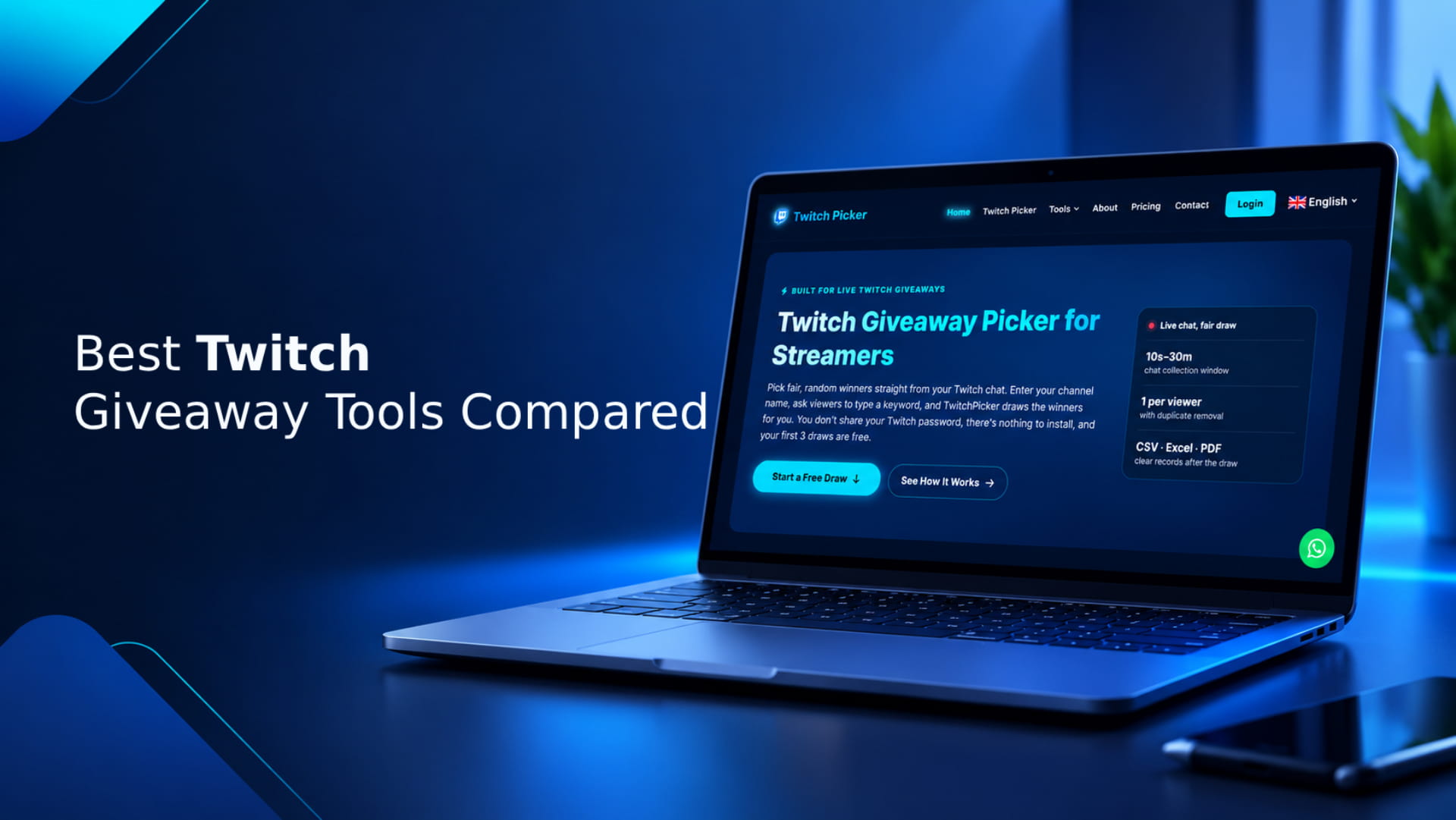
TwitchPicker is the Twitch Giveaway Picker for Streamers. Pick fair, random winners straight from your Twitch chat. Enter your channel name, ask viewers to type a keyword, and TwitchPicker draws the winners for you. You don't share your Twitch password, there's nothing to install, and your first 3 draws are free.
TwitchPicker is not affiliated with Twitch, StreamElements, Streamlabs, Nightbot, or Gleam, and this post is general information, not legal advice. Prices and features below were checked against each tool's own site and help pages in November 2026 — check the live pricing page before you pay for anything, because paid plans change.
The Short Answer: Which Tool Wins?
If you want the fastest fair draw live on stream, TwitchPicker wins. You enter your channel name, set a keyword, listen to chat from 10 seconds up to 2 minutes on the free plan, or up to 24 hours on the Creator and Growth plans, and draw a random winner with a winner certificate and an entry export to show for it. There is no bot to add to your channel and no loyalty system to set up first.
If you already run StreamElements or Streamlabs as your chatbot and your viewers already earn loyalty points there, the giveaway built into that bot may be the easier choice — you are adding a feature to a tool you already use, not learning a new one. If you want a quick, free raffle and nothing else, Nightbot's built-in giveaway is the simplest option of all. And if your giveaway is really a marketing campaign — verified follows, email capture, entries across several platforms over days or weeks — Gleam is built for that job, at a much higher price.
The rest of this post shows the working behind that answer, so you can check it against your own stream instead of taking it on trust.
Best Twitch Giveaway Tools at a Glance
| Tool | How viewers enter | Cost to start | Setup | Best for |
|---|---|---|---|---|
| TwitchPicker | Type a keyword in live chat | Free for 3 draws; then Creator $5/month or Growth $50/year | Enter your channel name, no install, no Twitch password | A fair live chat draw with proof |
| StreamElements | Buy tickets with loyalty points using !ticket or !enter, or use the giveaway page | Free chatbot | Add the bot, set up Loyalty and the giveaway in the dashboard | Streamers already using StreamElements loyalty points |
| Streamlabs Cloudbot | Enter through a saved giveaway profile, usually with !raffle in chat | Free to set up with a Streamlabs account | Add Cloudbot as a mod, create a giveaway profile | Reusable giveaways, including merch prizes |
| Nightbot | Keyword, active-user, or random-number entry in chat | Free | Connect Nightbot to your channel, use the built-in giveaway | A quick, simple in-chat raffle |
| Gleam | Complete verified actions on a landing page, such as follow on Twitch | Free plan; Competitions paid from $29/month billed monthly, or $10/month billed yearly | Build a campaign, share the link in chat and on your overlay | Multi-platform campaigns and email capture |
Read the table as a starting point, not a verdict. The right tool depends on the next five questions, and the detailed sections below answer each one for every tool.
How This Comparison Was Made
Five criteria decide most giveaways, so every tool below is judged on the same five:
- Entries: how viewers enter, whether entry is free, and whether one person can enter many times.
- Cost: what you pay to run a real giveaway, not just to open an account.
- Setup: what you must install, connect, or configure before the first draw.
- Fairness: whether every valid entry has the same chance, and whether the draw can be checked.
- Proof: what record you get afterwards — a certificate, an export, or just the bot's chat message.
No tool wins on all five. A chatbot giveaway can be free and already set up, but its entry system may favour viewers who have watched longest. A campaign platform can verify follows and capture emails, but it is not built for a two-minute live draw. A dedicated chat picker is fastest for that live draw, but it will not run a week-long multi-platform campaign for you. The honest answer is a trade-off, and the sections below name it for each tool.
TwitchPicker: Best for a Fair Live Chat Draw
TwitchPicker is a Twitch chat picker, built for one job: drawing a fair, random winner straight from your Twitch chat, live on stream.
You enter your channel name and set the entry keyword, the listen time — from 10 seconds up to 2 minutes on the free plan, or up to 24 hours on the Creator and Growth plans — and the filters you published in your rules. Viewers type the keyword in chat to enter. One entry per viewer stops spamming from improving anyone's odds, and you can also set exclude words, a minimum message length, and tag-a-friend entry if that is part of your rules. When the window closes, you draw the winner live. The draw is cryptographically secure, so every valid entry has the same chance, and you can draw multiple winners in one draw if your giveaway has more than one prize.
What sets it apart in this comparison is the proof. You get a winner certificate and you can export the entry list as a CSV, Excel, or PDF file, along with engagement stats from the draw. If a viewer questions the result later, you can show the record instead of arguing from memory. That matters more than it sounds: a giveaway people trust is a giveaway people enter again.
There is nothing to install and you do not share your Twitch password. Your first 3 draws are free with a free account, and then Creator is $5/month or Growth is $50/year, with the same features on both paid plans. That is the whole cost picture — there is no per-giveaway charge and no loyalty currency to manage.
The trade-off is scope. TwitchPicker does not run your moderation, your alerts, or a multi-platform campaign, and it does not check follows or collect email addresses. If you want a chatbot that does all of that as well, you will still need one. But if the job is "draw a fair winner from chat, live, in the next five minutes, and prove it", it is the most direct tool in this list.
If you have not run one yet, the step-by-step guide to how to do a giveaway on Twitch walks through the whole process — prize, rules, keyword, entry window, live draw, and contacting the winner — using TwitchPicker for the draw.
StreamElements: Best If You Already Use Its Loyalty Points
StreamElements is a chatbot and streaming toolkit, and its giveaway is a loyalty-points feature inside that toolkit. That is both its strength and its limit.
Viewers buy tickets for a giveaway with StreamElements loyalty points, using !ticket or !enter in chat, or through the public giveaway page. You create the giveaway in the dashboard under Loyalty, then Giveaways: set the title, description, preview image, ticket cost, and per-user limits, and start it. The bot announces it in chat, sells the tickets, and announces each winner in chat along with the chance they had of winning. You close ticket sales and draw the winner from the dashboard, and you can draw as many winners as you like, one at a time. You can also refund a giveaway, which returns every entrant's points.
Two settings deserve attention before you use it. First, ticket cost: a cost of 0 makes entry free, but if you set a price in points, viewers who have watched longest hold more points and can buy more tickets, up to the per-user maximum you set. Second, subscriber luck: you can multiply subscribers' chances from 1x up to 10x. Both are legitimate features for rewarding regulars, but both change the odds, so they belong in your published rules — a giveaway that quietly gives some viewers ten times the chance of others will not feel fair to the viewers who did not know.
StreamElements also has a separate raffle module, which is easy to confuse with the giveaway module. In a raffle, entry is free through !join and the prize is loyalty points themselves, not a prize you define. If you want to give away a game key or merch, use the giveaway module, not the raffle.
The chatbot itself is free to use, which makes StreamElements a strong choice if you already run it and your viewers already earn its points. The cost is the setup: you need the bot in your channel, the loyalty system switched on, points configured, and a giveaway created in the dashboard before you go live. For a streamer starting from nothing who just wants one quick draw, that is a lot of setup for a five-minute giveaway. And while the bot announces the winner with their odds, its giveaway docs describe the draw and the announcement, not a downloadable winner certificate or an entry export in the way a dedicated picker provides.
Choose StreamElements when your viewers already live in its loyalty system and you want giveaways to reward the time they have already spent watching. Choose a dedicated chat picker when you want a free-entry draw that anyone in chat can join on equal terms, with a record to prove it.
Streamlabs Cloudbot: Best for Reusable Giveaways and Merch
Streamlabs Cloudbot is the chatbot built into Streamlabs, and its giveaway feature is built around saved giveaway profiles you can reuse. That makes it the most organised option in this comparison for streamers who run giveaways regularly.
You create a giveaway profile in the Cloudbot settings, under the Giveaways tab. There are two types. A custom giveaway is a prize you describe yourself, such as a game or a gift card, and you can pick up to 10 winners per giveaway. A merch giveaway uses an item from your Streamlabs merch store — which must be set up first — and has one winner, who receives a redemption link and enters their size, colour, and shipping details. That merch flow is genuinely useful: it handles the part of a physical giveaway that usually turns into a long exchange of direct messages.
In a profile you set the timer, so Cloudbot can close entries automatically, who may enter, the ticket cost in Cloudbot loyalty points, the maximum tickets per viewer, and any subscriber or non-subscriber bonus tickets. There is also a follower setting, but read it carefully: it prevents non-followers from winning, it does not stop them from entering. If your rules say only followers can enter, that setting alone does not enforce it.
To run a giveaway, you start a saved profile, viewers enter — usually by typing !raffle in chat — and when entries close you pick a winner from the dashboard. You can set the profile up before you go live and reuse it next week, which is a real time saving if you run the same giveaway format every stream.
Setup is the price. You need a Streamlabs account, Cloudbot added as a moderator in your chat, and the profile configured before the stream. That is worth it if Cloudbot is already your bot and you run giveaways often. It is heavy if you only want one draw and do not use Streamlabs for anything else. Cloudbot's giveaway is also a loyalty-points system at heart, so the same warning applies as with StreamElements: if tickets cost points, or subscribers get bonus tickets, say so in the rules, because it changes who is likely to win.
Nightbot: Best for a Quick, Simple Raffle
Nightbot is the simplest tool in this comparison, and for a small, quick giveaway that simplicity is a genuine advantage.
Nightbot is a chatbot for Twitch and YouTube. You connect it to your channel, it joins your chat, and its built-in giveaway lets you pick a winner from the people in chat. There are three entry types: active user, which picks a viewer who has recently taken part in chat; keyword, where viewers enter by typing a word you choose; and random number, where viewers try to guess a number Nightbot generates. You can control which user groups are eligible, and you can give subscribers or regulars extra luck in the draw.
That is the whole pitch: no loyalty system to configure, no campaign to build, no profile to save. If you already use Nightbot for moderation and commands, a giveaway is one more thing it can do in the chat you already have. The !winner command, which picks a random active chatter, is useful for a spontaneous moment — "someone in chat right now wins this" — even when you have not set up a formal giveaway at all.
The limits are the other side of that simplicity. Nightbot is a general chatbot first and a giveaway tool second. Its draw is a quick in-chat pick, not a documented draw with an entry list, a winner certificate, and an export you can share afterwards. If a viewer asks how the winner was chosen, your answer is the bot's chat message, not a record. It also has no keyword-filter system, no minimum message length, and no engagement stats for the draw in the way a dedicated picker does. For a small prize among regulars, that may not matter. For a bigger prize, or a giveaway where fairness will be questioned, it does.
Choose Nightbot when the prize is small, the audience is your regulars, and you want the draw done in a minute with a tool you already run. Choose a dedicated chat picker when the prize is worth documenting, or when you need to show a sceptical chat exactly how the winner was picked.
Gleam: Best for Multi-Platform Campaigns and Email Capture
Gleam is a different kind of tool from the other four, and judging it as a live chat picker misses the point. It is a giveaway and marketing platform, built for planned campaigns that run over days or weeks across several platforms at once.
Instead of typing a keyword in chat, entrants complete verified actions on a Gleam landing page: follow on Twitch, subscribe, visit a page, join a Discord, or sign up by email. Gleam checks many of those actions through the platform's own API — on Twitch, a follow or subscription has to be real before the entry counts — and it filters out duplicate and fraudulent entries before the draw. That verification is its real strength. It also captures email addresses, syncs them to email tools, and gives you analytics and reporting on the campaign.
Gleam has a free plan, and its Competitions app is paid from $29/month billed monthly, or $10/month billed yearly on the Hobby plan, rising to $59/month for Pro and higher for Business and Premium. The free plan runs unlimited campaigns with limited features, including a random draw from up to 1,000 entries and up to 10 winners. Paid plans add more entry methods, viral sharing, branding removal, and higher limits. That is a fair price for a brand running giveaways as marketing. For a streamer who wants one live draw a week, it is a lot of money for features they will not use.
The other cost is the experience. A Gleam giveaway is not spontaneous. You build the campaign, share the link in chat and on your overlay, and entrants leave the stream to enter on a landing page. That works well for a planned campaign with a big prize. It works badly for a two-minute drop in the middle of a game, when the whole point is that viewers are already in chat and can enter by typing one word.
Choose Gleam when your goal is growth beyond one stream — verified follows, an email list, entries from Twitch, X, YouTube, and Discord in one campaign — and you are willing to pay for it and plan it in advance. Do not choose it for a live chat draw. It is the wrong tool for that job, however good it is at its own.
Cost Compared Honestly
Cost is where comparisons usually mislead, because "free" can mean three different things. Here is what each tool actually costs to run a real giveaway:
- TwitchPicker: free for your first 3 draws. After that, Creator is $5/month or Growth is $50/year, with the same features on both paid plans. No per-giveaway charge, and no points system to fund.
- StreamElements: the chatbot and its giveaway module are free to use. The cost is your time setting up loyalty points, and the fact that viewers pay for tickets with points they earned by watching.
- Streamlabs Cloudbot: free to set up with a Streamlabs account. The cost is the same as StreamElements — setup time, and a points-based entry system if you charge tickets in points.
- Nightbot: free. There is no paid giveaway tier to buy, because the giveaway is a built-in chatbot feature.
- Gleam: free plan for a basic campaign, then Competitions from $29/month billed monthly or $10/month billed yearly. The full platform costs much more, so check which app you actually need before you pay.
If your budget is zero and you run giveaways rarely, Nightbot or a chatbot you already use costs nothing. If your budget is $5 a month and you run live draws regularly, TwitchPicker is the cheapest dedicated option in this list. If your budget is $29 a month or more and you are running giveaways as marketing, Gleam is the only tool here built for that job at that price.
Fairness and Proof: The Part Most Comparisons Skip
Every tool in this list can pick a random winner. Not every tool can prove it did.
Fairness starts before the draw. Entry should be free, or free entry should be clearly available alongside any points option. One entry per viewer should mean one entry per viewer, not one entry per message. The rules — prize, eligibility, keyword, closing time, number of winners, and how the winner will be contacted — should be published before entries open, and the draw should follow them exactly.
Proof is what happens after the draw. A winner certificate, an exported entry list, and a draw done live on stream are the strongest combination, because they let anyone check the result. A bot announcing a winner in chat is weaker proof, because the entry list behind it is not visible. A landing-page draw with fraud filtering is strong in a different way — it verifies actions, not chat messages — but it is not a live moment your viewers watched.
That is why the tool matters less than the process, and why the process matters more than the prize. The best tool for your giveaway is the one whose draw you can explain in one sentence, and whose record you can show if someone asks. For a live chat giveaway, that is a keyword draw, one entry per viewer, drawn live, with a certificate and an export. For a full guide to running that process, read how to pick a random winner from Twitch chat, which explains why picking by hand is unfair and how a secure random draw works in plain language.
Which Tool Should You Pick?
Match the tool to the giveaway, not the other way round:
- You run live keyword draws every stream and want proof: TwitchPicker. It is the fastest route from "type this word" to a named winner with a certificate.
- You already run StreamElements and your viewers earn its points: StreamElements giveaways. Set the ticket cost to 0 if you want free entry, and put any subscriber luck in the rules.
- You run the same giveaway format weekly, or you give away merch: Streamlabs Cloudbot. Saved profiles and the merch redemption flow save you real time.
- You want a quick raffle among regulars and nothing else: Nightbot. Use the keyword or active-user draw, keep the prize small, and do not promise a documented draw it cannot give you.
- You are running a planned campaign to grow follows and email signups: Gleam. Build the campaign, verify the actions, and accept that it is not a live chat draw.
- You want the draw itself to be the show: use a wheel for the reveal. The wheel picker lets you spin for a winner on stream, and it pairs well with a chat draw — collect entries with a chat picker, then spin the wheel for the finalists.
If you are still unsure, run one giveaway with the simplest option that fits, and watch what happens. Did viewers understand how to enter in a few seconds? Did entries come from the whole chat, or only from your regulars? Did anyone question the result? The answers will tell you more than any comparison table, including this one.
How to Switch Without Breaking Your Next Giveaway
Switching tools is easy. Switching mid-giveaway is not. Finish the giveaway you have already announced with the tool you announced it with, then change tools for the next one.
When you do switch, tell your viewers what changed and why. "We are using a chat picker now, so entry is free and one entry per person, and you will see the draw live" is a better announcement than a new bot appearing in chat with no explanation. Update your rules template, your overlay, and any chat commands that mention the old entry method, and test the new draw once off-stream with a few test entries before you use it live.
Keep your records from the old tool, too. If a viewer asks about a past giveaway, you should still be able to say who won and how. A tool change is not a reason to lose the history that proves your giveaways were fair.
Final Word
There is no single best Twitch giveaway tool, only a best tool for the giveaway you are about to run. For a live, fair, provable draw from chat, TwitchPicker is the strongest choice in this comparison. For a loyalty-points giveaway inside a chatbot you already run, StreamElements or Streamlabs Cloudbot may be the easier choice. For a quick raffle, Nightbot is the simplest. For a multi-platform campaign, Gleam is the only tool here built for it.
Pick the tool that matches your stream, publish the rules before you open entries, keep entry free and equal, draw the winner live, and keep the record. Do that, and whichever tool you choose, your viewers will trust the next giveaway enough to enter it.
You can see the tool itself, and what it costs, on the TwitchPicker pricing page, and start with your first 3 draws free. Or start from the beginning with TwitchPicker, enter your channel name, and run your next giveaway live from chat.
Frequently Asked Questions
It depends on the giveaway. TwitchPicker is best for a fair live chat draw with a winner certificate and entry export. StreamElements or Streamlabs Cloudbot are best if you already use those chatbots and their loyalty points. Nightbot is best for a quick, free raffle. Gleam is best for a planned, multi-platform campaign with verified actions and email capture.
Yes. Nightbot's built-in giveaway is free, StreamElements and Streamlabs Cloudbot giveaways are free to set up with those chatbots, and Gleam has a free Competitions plan. TwitchPicker is free for your first 3 draws, then Creator is $5/month or Growth is $50/year. Free entry for viewers is separate from a free tool — set the ticket cost to 0 in a chatbot giveaway if you want everyone to enter for free.
No. You do not need a bot to run a keyword giveaway. With TwitchPicker, you enter your channel name, set a keyword and a listen time (up to 2 minutes free, or up to 24 hours on the Creator and Growth plans), and draw the winner from the chat entries it collects. You never share your Twitch password and there is nothing to install. A bot is useful if you already use one for moderation and loyalty points and want giveaways inside it.
Publish the rules before entries open, keep entry free, limit each viewer to one entry, and draw live with a random picker so every valid entry has the same chance. Then announce the winner on stream, save the winner certificate, and export the entry list so you can prove how the winner was chosen. Avoid picking by hand or letting a moderator choose, because it cannot be proven fair afterwards.
For a planned marketing campaign, yes — Gleam verifies follows and other actions, captures emails, and runs across several platforms at once. For a live chat giveaway, no — Gleam runs through a landing page, not live chat, and its paid plans start at $29/month billed monthly. A Twitch chat picker is faster, cheaper, and built for a draw your viewers watch happen live.